
QR ordering that actually helps a restaurant (and when it doesn’t)
Table identity, menu design, kitchen routing, payments, service charge, and the metrics that show whether QR ordering is working.
Zynitex Engineering
Product & engineering notes
The short answer
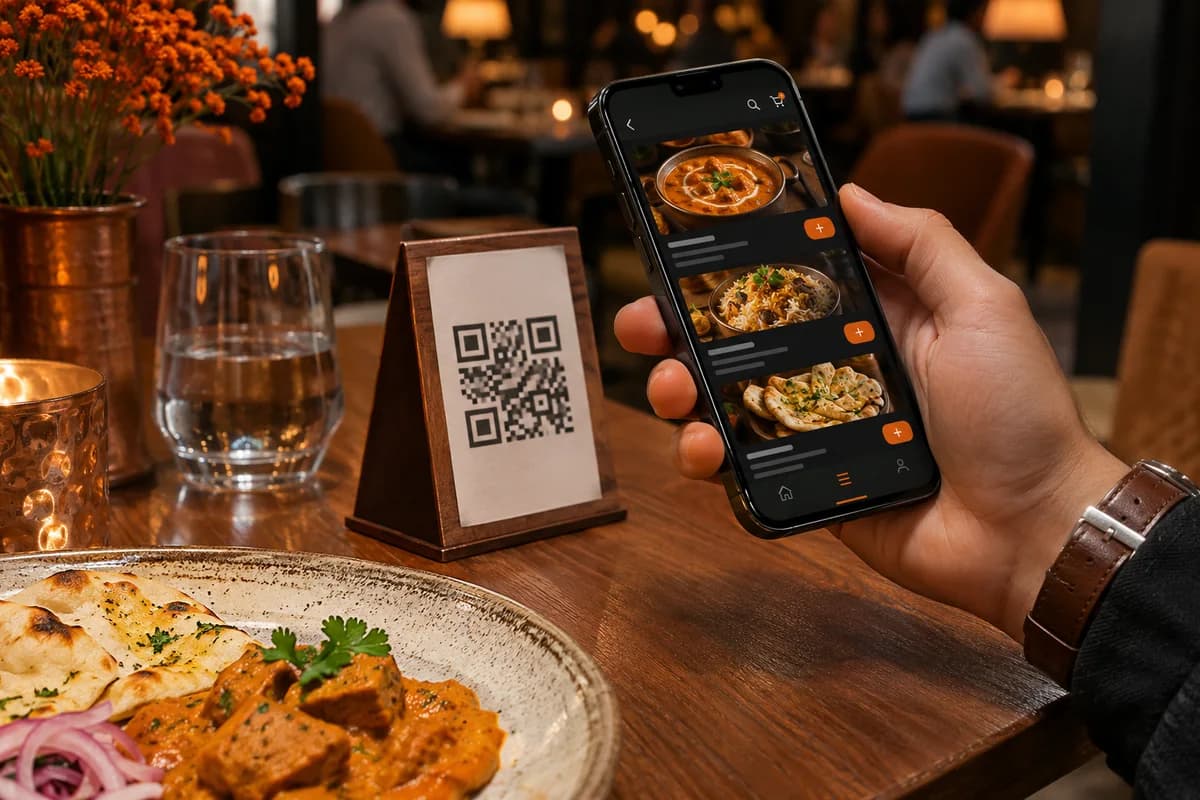
QR ordering works when the code is tied to a specific table, the menu is accurate, the order reaches the kitchen automatically, and staff still own the hospitality. It fails when it is just a PDF menu, a separate app download, or a way to remove servers from the floor.
What this note covers
- The QR must identify the table, not just open a generic menu.
- The four-second test: scan, read, add, send — without pinching or installing.
- The kitchen is the real customer of the ordering flow.
- Don’t silently add a service charge; make charges clear.
- Pilot with a few tables and measure, instead of rolling out to the whole floor.
On this page(12 sections)
- 01What QR ordering is, and isn’t
- 02The four-second test
- 03Table identity is the whole trick
- 04Menu design for a phone, not a PDF
- 05The kitchen is the real customer
- 06Payments and the service charge question
- 07Hospitality doesn’t disappear
- 08Security and abuse
- 09A two-week pilot
- 10When not to use QR ordering
- 11What Zynibill does
- 12Start with the table
A QR code is not a strategy. It’s a bridge between the table and the order. If the bridge leads to a PDF menu and a “please download our app” screen, guests will use it once and then wave at a server.
We’ve built QR ordering into Zynibill, where it connects to table status and kitchen tickets. The technical part is straightforward. The operational part is where restaurants win or lose.
What QR ordering is, and isn’t
It is table-aware ordering, menu discovery, and a connection to the kitchen. It isn’t a way to cut staff, hide charges, or make guests install software. If the QR makes the experience slower, it’s a demo, not a product.
The four-second test
- The menu opens from the camera or browser in under four seconds.
- The text is readable without zooming.
- An item can be added with two taps, plus modifiers.
- The order reaches the kitchen before the guest locks the phone.
If any step fails, the guest calls a human. That’s not a failure of guests; it’s a failure of the flow.
Scan
Table 12
Choose
Modifiers
Kitchen
KOT routed
Bill
Clear charges
The QR channel and the POS should not share a single point of failure.
Table identity is the whole trick
A QR code on every table must resolve to that table, not a generic menu. Otherwise the kitchen doesn’t know where to send the food and the bill is wrong.
- Map the code to a table ID on the server; never trust a table number typed by the guest.
- Create a session per seating so a second group doesn’t inherit the first group’s order.
- Support multiple guests on one table without creating duplicate orders.
- Handle table moves and splits with an explicit staff action.
- Rotate or disable a code when a sticker is replaced or a table is removed.
- Keep an audit trail of who changed the table mapping.
Watch out
A peelable sticker is a payment risk
Use tamper-evident codes, staff checks, and a way to disable an old code. A QR that points to the wrong table can send food to the wrong seat and money to the wrong account.
Menu design for a phone, not a PDF
- Six to eight top-level categories, not the entire inventory on one screen.
- Photos that load fast and don’t push the price off-screen.
- Modifiers, add-ons, and allergens in a consistent pattern.
- A sold-out toggle that updates immediately.
- Prices that state whether taxes are included.
- A language toggle where your guests need it.
- Large tap targets and a visible cart.
A PDF is a document. A menu is a product. The difference is whether a guest can add a modifier without pinching and zooming.
The kitchen is the real customer
If the order lands in a screen nobody watches, QR ordering is a faster way to create chaos. Send it to the existing KOT printer or kitchen display, with course timing and station routing.
- Route starters, mains, and drinks to the right station.
- Respect course timing instead of firing everything at once.
- Deduct stock at the right moment, not twice.
- Keep an offline queue so a network blip doesn’t lose a ticket.
- Prevent duplicate tickets when a guest taps “send” twice.
- Use an audible or visual alert in a noisy kitchen.
Payments and the service charge question
UPI at the table is convenient. Forcing prepayment for every item can feel like a vending machine. Let the business choose pay-now, pay-later, or pay-at-counter, and make the choice visible before the guest commits.
In India, service charge is voluntary. The CCPA’s 2022 guidelines treat an automatic, undisclosed service charge as misleading. Don’t bury it in a QR bill. Show it, explain it, and let the guest choose. Taxes and convenience fees need the same clarity.
Note
A bill is a conversation
Every line item should be explainable by a server in one sentence. If it isn’t, the QR flow has created a support problem.
Hospitality doesn’t disappear
- A server still checks in, recommends, and confirms allergies.
- A call button reaches a person, not a ticket queue.
- Older guests and first-timers have a no-phone path.
- Regulars are recognised, not reduced to a table number.
- Complaints have an escalation path that doesn’t wait for an app review.
The best QR ordering makes the boring parts faster so the human parts have more time. It doesn’t turn the restaurant into a kiosk.
Security and abuse
- Bind orders to a table session, not just a public menu URL.
- Rate-limit ordering by table and device.
- Detect spam and unusually large orders.
- Use OTP or staff confirmation only where the risk justifies the friction.
- Verify payment callbacks and make them idempotent.
- Keep admin endpoints out of the public menu origin.
- Collect the minimum guest data; marketing consent is separate.
A two-week pilot
- Pick five tables and one section, not the whole floor.
- Brief the servers on what changes and what doesn’t.
- Put a feedback card or a one-tap rating at the end of the flow.
- Watch ten guests use it without helping them.
- Fix the first three friction points before expanding.
- Measure for two weekends, then decide.
| Metric | What to look for | Why it matters |
|---|---|---|
| QR-to-order rate | 25–40% in the first month | Adoption, not novelty |
| Order accuracy | Above 98% | Less rework and fewer arguments |
| Average ticket | A small lift from add-ons | Attach rate, not forced upsell |
| Kitchen ticket time | Within your service target | Throughput and food quality |
| Guest complaints | Down or flat | Friction is not hidden |
| Staff adoption | Above 80% | The team will keep it alive |
Targets are directional. Your menu, layout, and clientele will produce different numbers. The point is to measure before you declare victory.
When not to use QR ordering
Fine dining with a tasting menu, a tiny counter with a two-page menu, or a place where the server relationship is the product. QR can still show the menu; it doesn’t have to take the order. Choosing not to use a feature is a product decision, not a failure.
What Zynibill does
Zynibill connects QR ordering to table status and kitchen tickets, with billing that keeps working offline. That matters because the QR flow is only as reliable as the network and the bill behind it. A beautiful menu that loses the order when the internet drops is not an improvement.
Start with the table
Start with the table, the menu, and the kitchen. Make the flow fast, the charges clear, and the staff visible. Then measure. The QR code is the smallest part of the product.
Direct answers
Questions people actually ask
Short, checkable answers. Every entry here is also published as structured FAQ data for search and answer engines.
Do guests need to download an app for QR ordering?
No. A browser-based menu and ordering flow is the default. Requiring an app install adds friction and reduces adoption. Build an app only when repeat usage or a native capability justifies it.
Is a service charge mandatory in India?
No. Service charge is voluntary. The CCPA’s 2022 guidelines say it should not be imposed automatically and must be clearly explained. Taxes and other charges should also be transparent.
Can QR ordering work when the internet is down?
The guest needs connectivity to open the menu, unless the menu is cached or hosted on the local network. The restaurant’s billing and kitchen flow should continue offline with a local queue. The QR channel and the POS should not share a single point of failure.
How many QR codes does a restaurant need?
At least one per table, plus takeaway or counter codes if those flows exist. Each code should map to a specific table or pickup context, not a generic menu. Rotate codes when the mapping changes.
References
Sources and further reading
- CCPA — guidelines on service charge
Check the current guidelines and any updates.
Compliance notes are operational guidance, not legal or tax advice. Rules and thresholds change — confirm your position with a qualified professional.
Written by
Zynitex Engineering
We design and build the systems behind Zynibill, Invoice Studio, and client platforms like Regalia, Kristive, and ElyteSpark. These notes are the things we wish we had read before shipping them.
More about ZynitexKeep reading
Related notes
Offline-first billing: what actually breaks when the internet dies
A dead router shouldn't stop a restaurant from taking orders or printing bills. The architecture, GST numbering trap, and sync design behind offline billing.
6 October 2026·9 minBusinessThe small-business software stack for India in 2026
Four jobs, not nineteen subscriptions. A practical stack for freelancers, restaurants, D2C brands, and services firms — with budgets and a 30-day rollout.
16 October 2026·11 minComplianceThe GST invoice checklist I wish every freelancer used
A field-by-field checklist for Indian freelancers and small businesses: place of supply, invoice series, exports, e-invoicing, and the mistakes that cause rework.
13 October 2026·10 min